BACKPROP LAB
A neural network, learning in front of you.
In the browser, on Android, iPhone, iPad and Mac · German and English · no accounts, no ads, no tracking · everything computed on the device
What you see
Points in the plane belong to two classes. The network starts from random weights, guesses, measures its error and shifts a little in the direction that makes the error smaller. That is backpropagation — and the whole point here is that you can watch it.
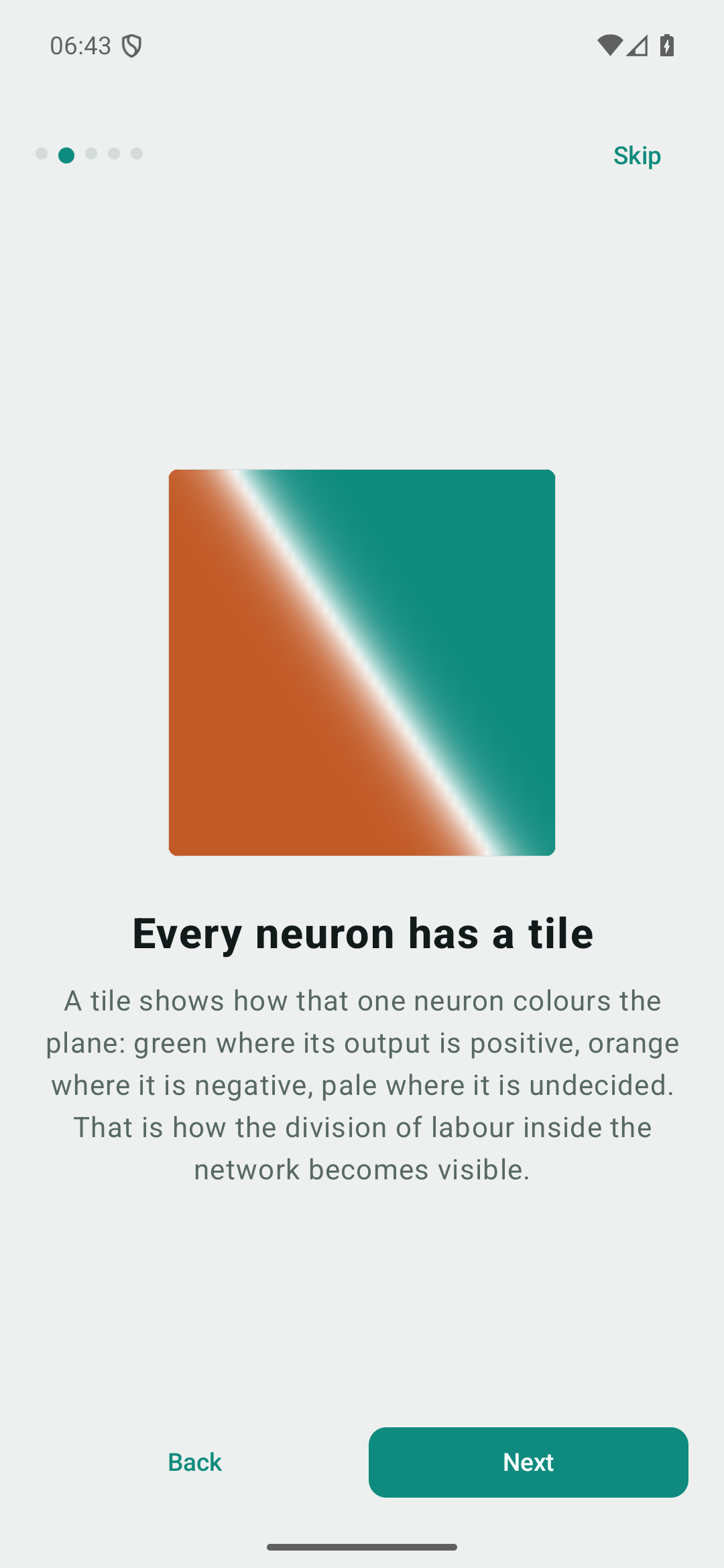
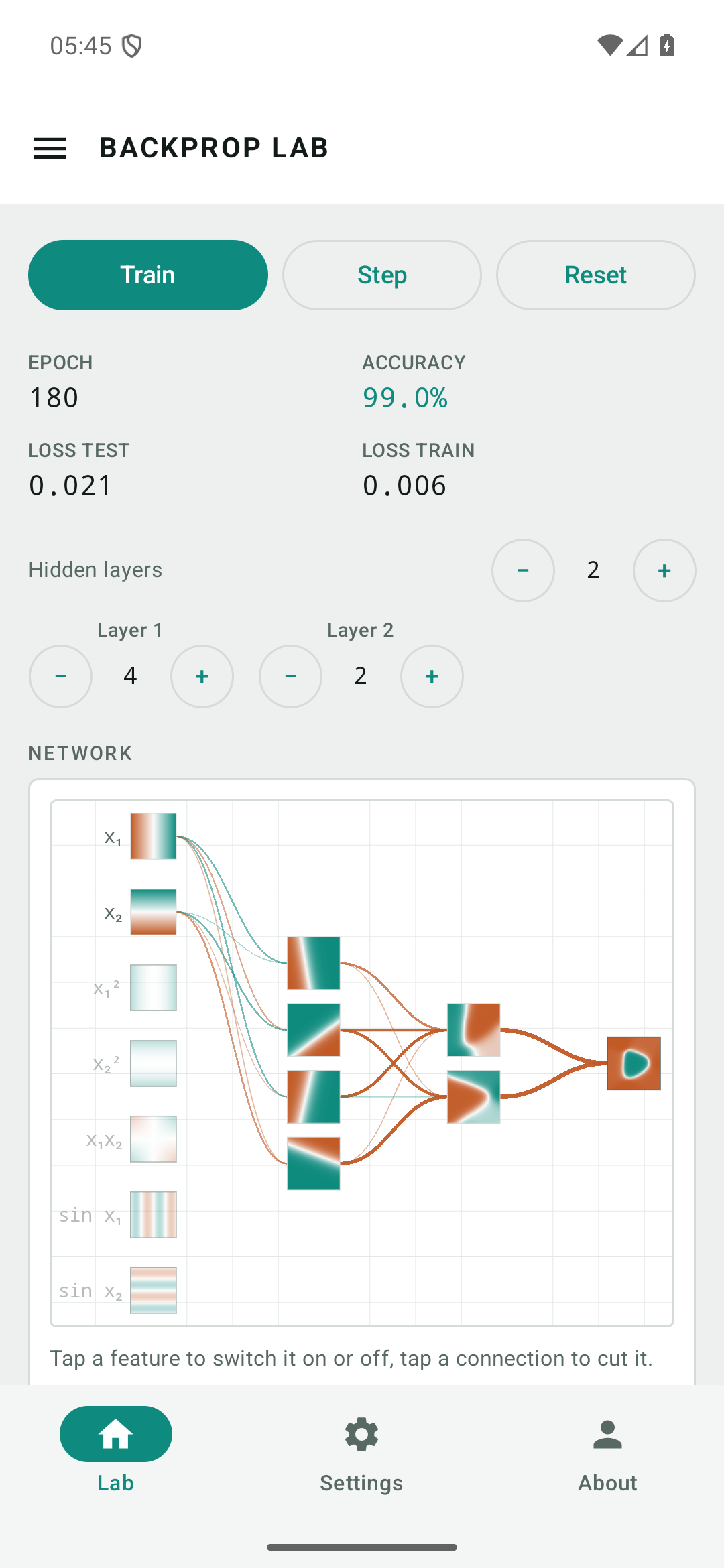
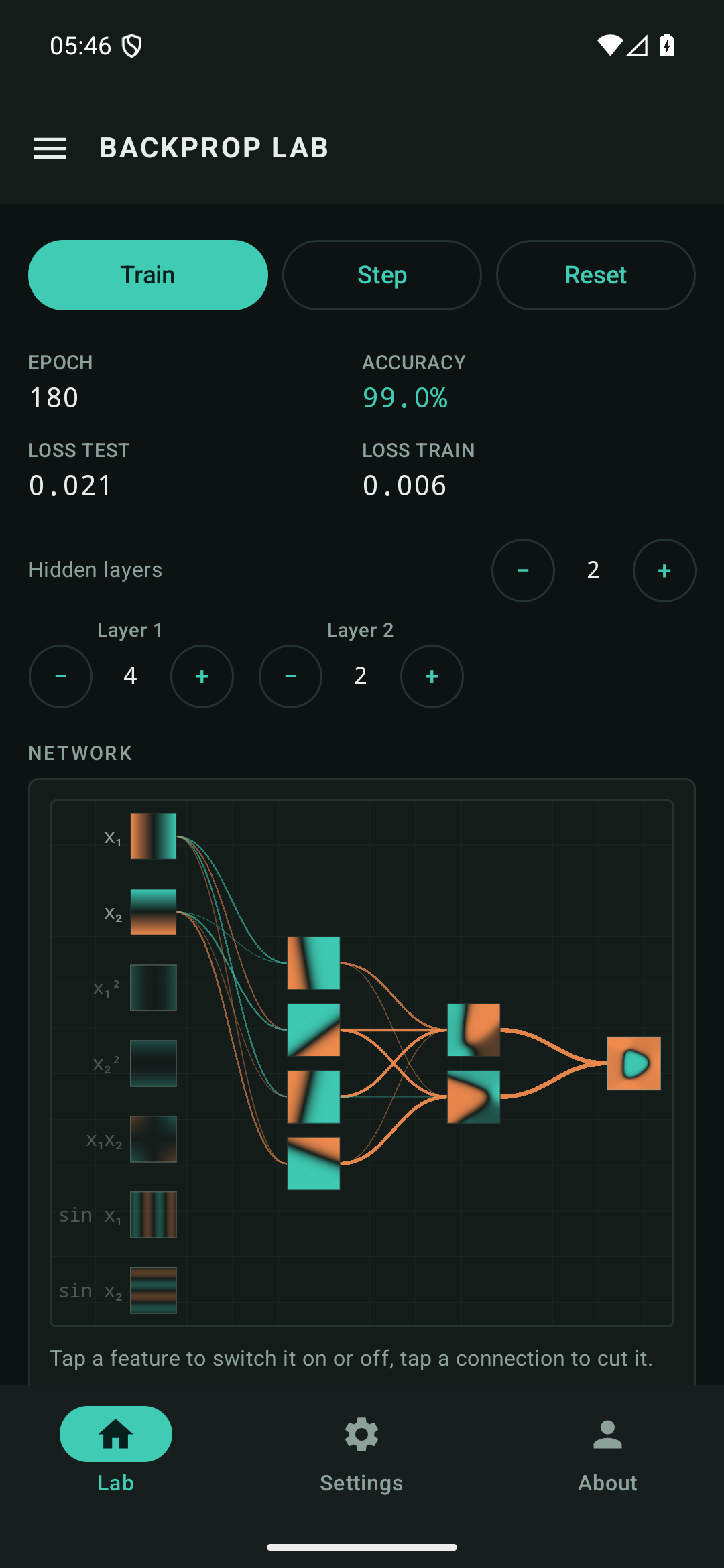
A tile on every neuron
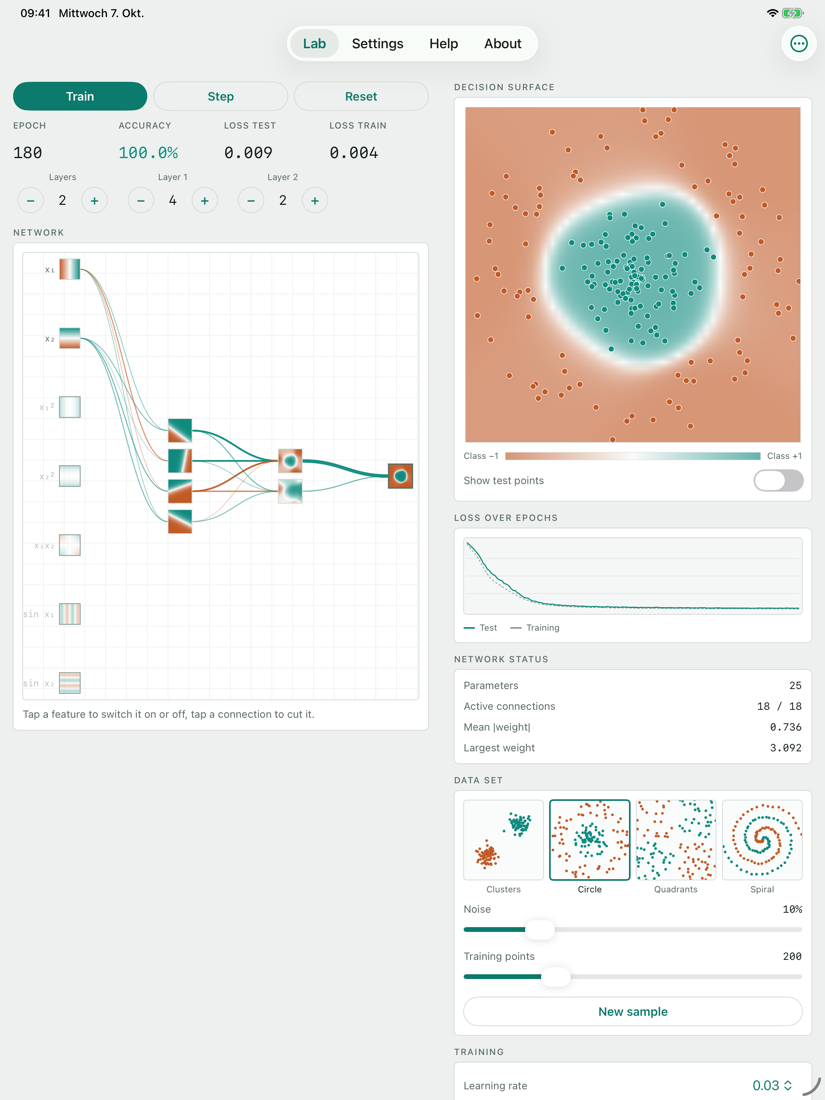
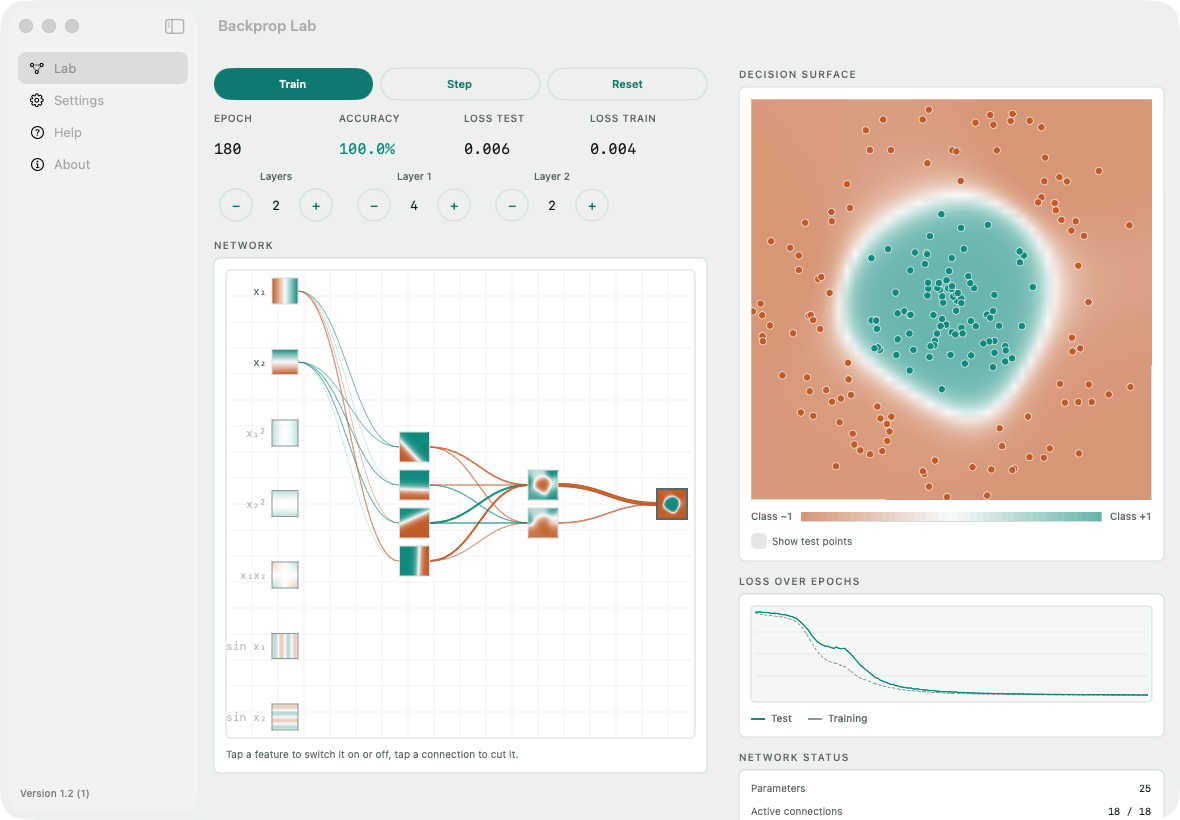
Each tile shows how that one neuron colours the plane — not its state for a single point, but its output everywhere. The division of labour inside the network becomes visible instead of hypothetical.
Weights you can read off
On every connection the colour is the sign of the weight and the thickness its magnitude. Thick lines carry the decision; a pale one carries next to nothing.
Cut a connection
Tap or click a line and it is severed: it transmits nothing and is no longer trained. Do it to a thick one mid-training and the loss jumps — then watch the remaining neurons redistribute the work among themselves.
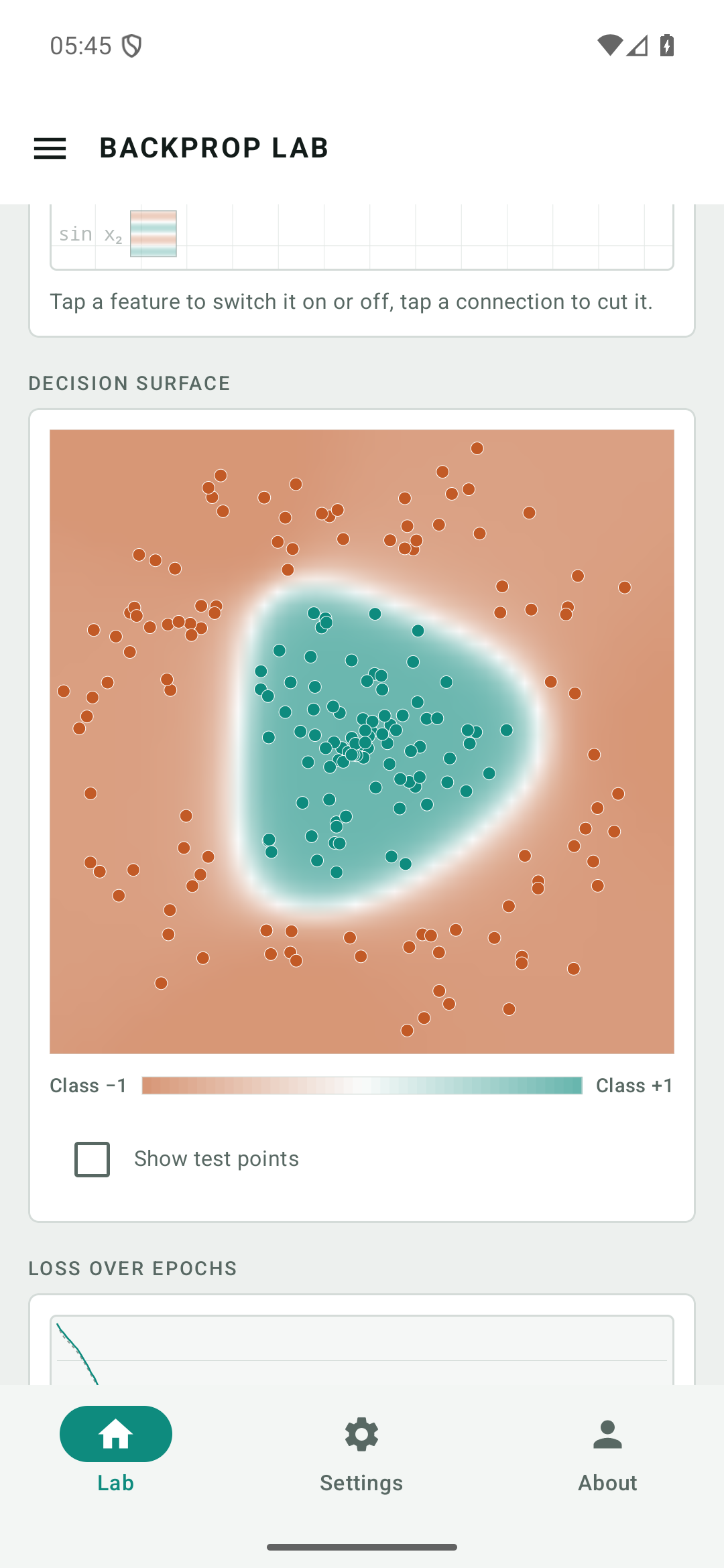
The decision surface
How the network judges the whole plane, including where no data points lie. Filled dots are training points, rings the test points held back.
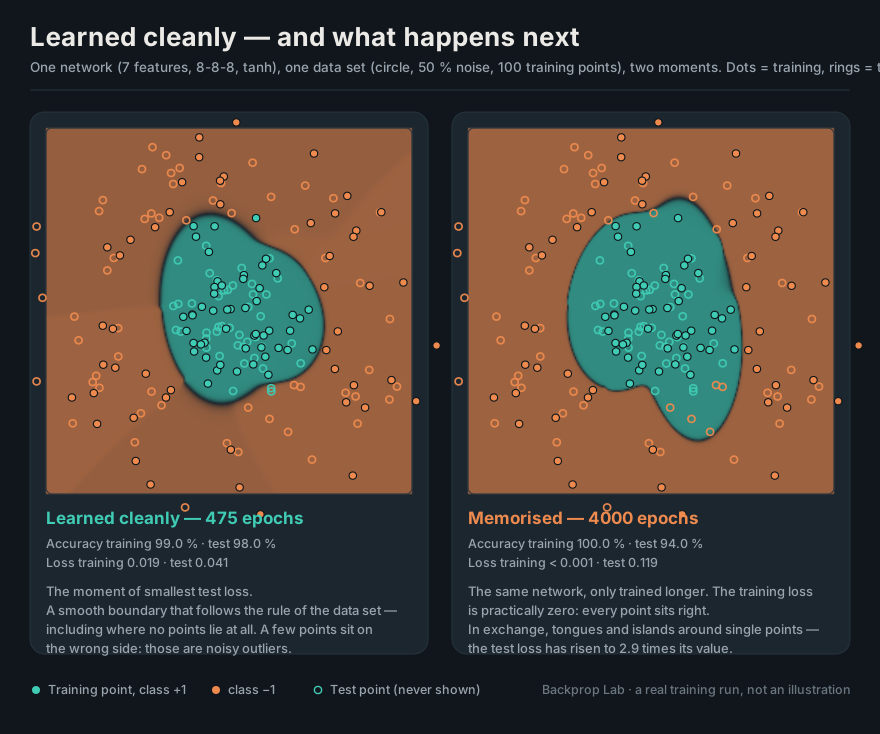
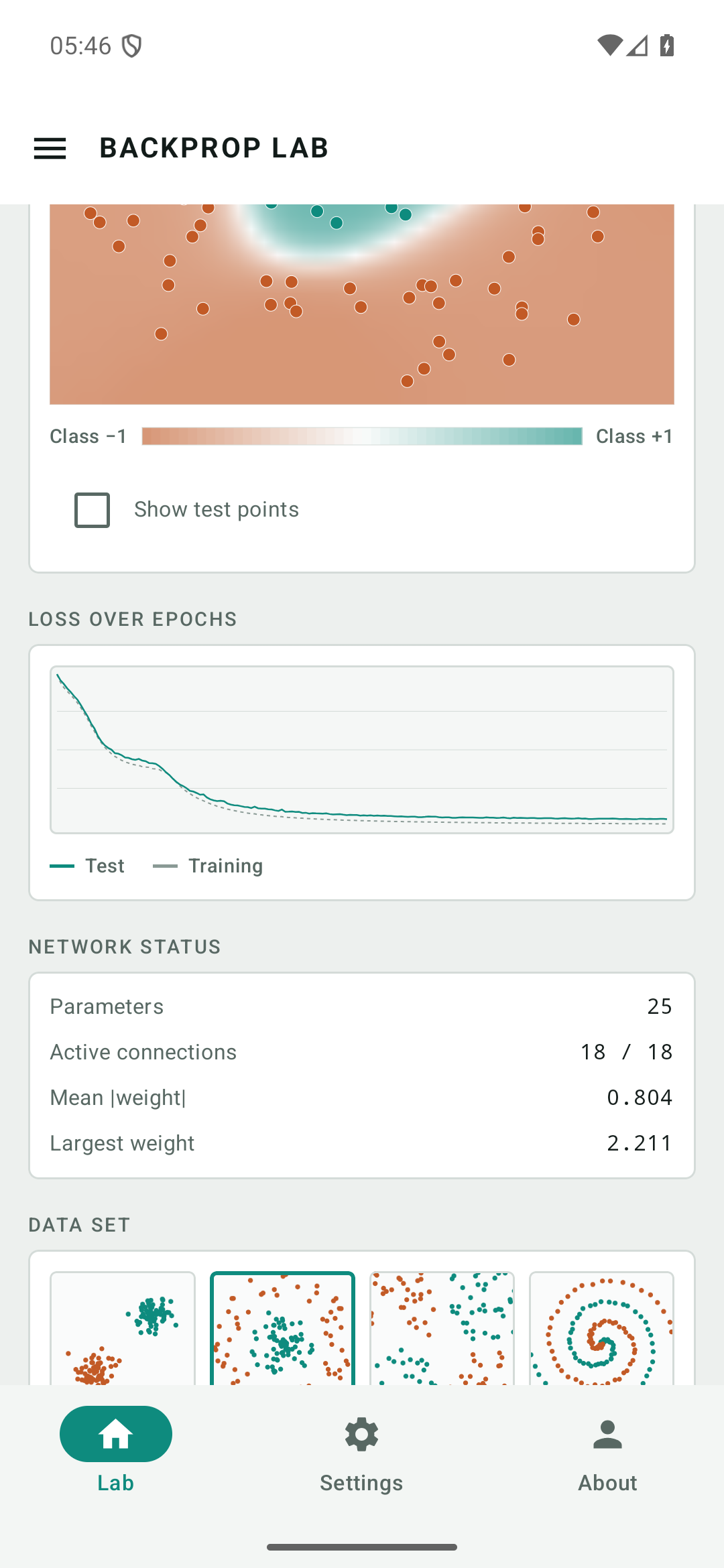
Overfitting, as it happens
The loss curve runs separately for training and test data. When the grey one keeps falling while the green one climbs again, the network is memorising the sample instead of learning the rule.
Real arithmetic, no animation
Mini-batch gradient descent on ½(o−t)² with labels ±1. Every epoch genuinely walks the training points, forms gradients and changes the weights. Nothing is precomputed.
Features by hand
Beside x₁ and x₂ there are squares, the product and sines to
switch on. Give the network x₁² and x₂² and it solves the circle
with no hidden layer at all — feature engineering and deep learning side by side.
Three ways to run it
The browser simulator is a single HTML file with no library and no build step. The Android app is a version of its own in Kotlin and Compose, the app for iPhone, iPad and Mac one in Swift and SwiftUI — same formulas, same data sets, same colour scale. All three speak German and English.
Ten minutes worth having
Each step shows exactly one thing. The introduction explains why each of them happens.
Reset, then Train. Watch a circle emerge from the random fog of colour. That is the whole process in thirty seconds.
Set the activation to linear. Three layers of eight neurons, train again — and it stays a straight line. Without the kink, depth buys nothing.
Turn the learning rate up to 1. The loss curve jumps: the steps overshoot the valley every time.
Switch to the spiral. Four neurons fail. Add layers and neurons until it works — that is what capacity feels like.
Cut a thick connection while training. The error jumps, and the network reorganises itself within seconds.
Noise at 50 %, show the test points, train for a long time. The boundary grows tongues and the test curve climbs: overfitting, seen rather than described.
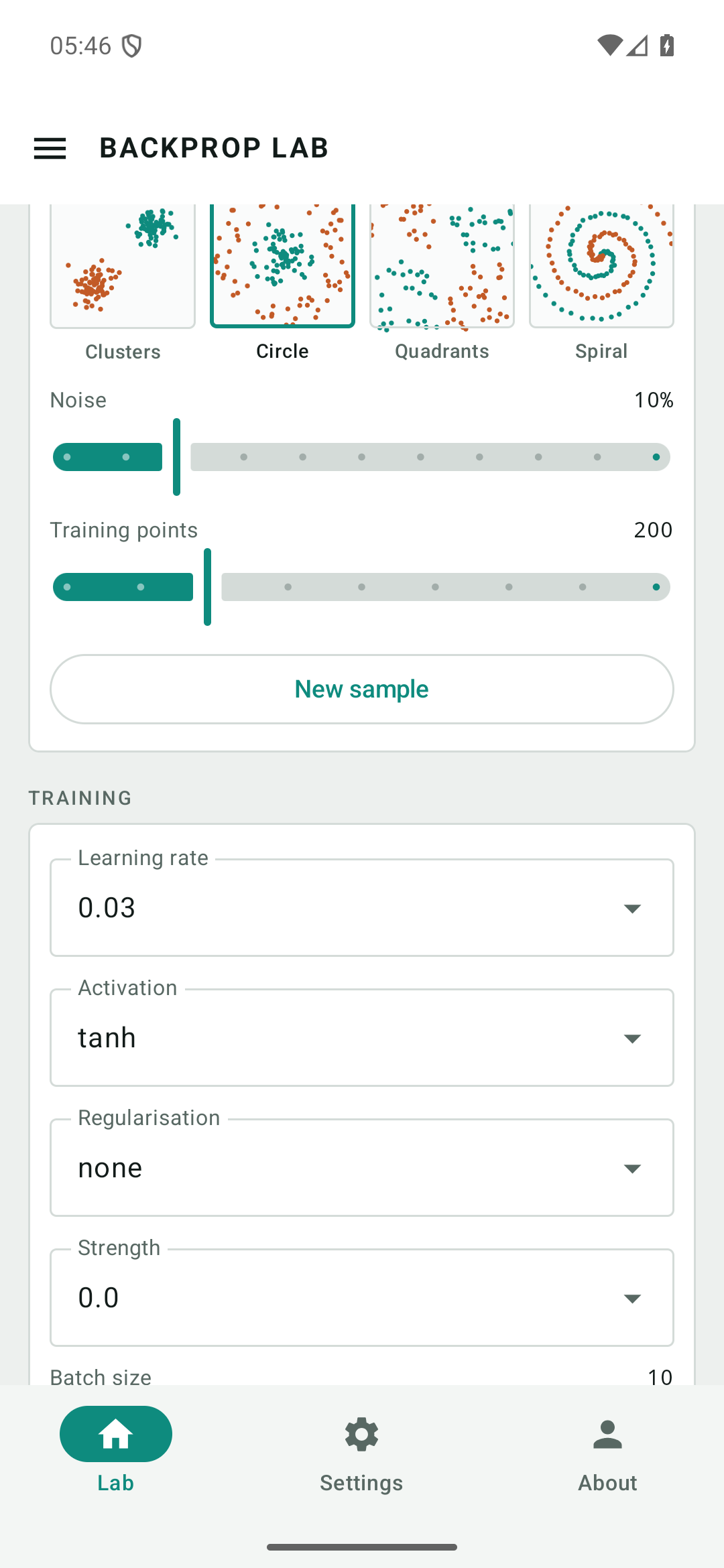
Data sets
Four tasks in rising order of difficulty. The interesting part is not that the network solves them but what it takes.
| Data set | Rule | What it takes |
|---|---|---|
| Clusters | Two Gaussian clouds, diagonally opposite. | One straight line — no hidden layer needed. |
| Circle | One class inside, the ring outside. | A hidden layer, or the features x₁² and x₂². |
| Quadrants | Class by the sign of x₁·x₂. | The classic XOR problem; trivial with x₁x₂. |
| Spiral | Two arms wound into each other. | Several layers, many neurons, patience. |
Noise displaces the points before the label is assigned, so at 50 % some of them lie on the wrong side — 100 % accuracy is then out of reach, and forcing it anyway means learning the noise by heart. Half of all points are held back as a test set the network never sees.
Two texts
Introduction
For anyone who has never dealt with neural networks. Neuron, weight, bias, the kink in the activation, loss, gradient descent and backpropagation — explained from the beginning, with diagrams and an exercise at the device.
Manual
Seventeen sections: every control, the four data sets, the seven features, the formulas actually computed, five experiments, a troubleshooting table and the apps for Android and for iPhone, iPad and Mac.
Help
The short answers — the same questions the app carries on the device, plus the ones that only come up in the browser.
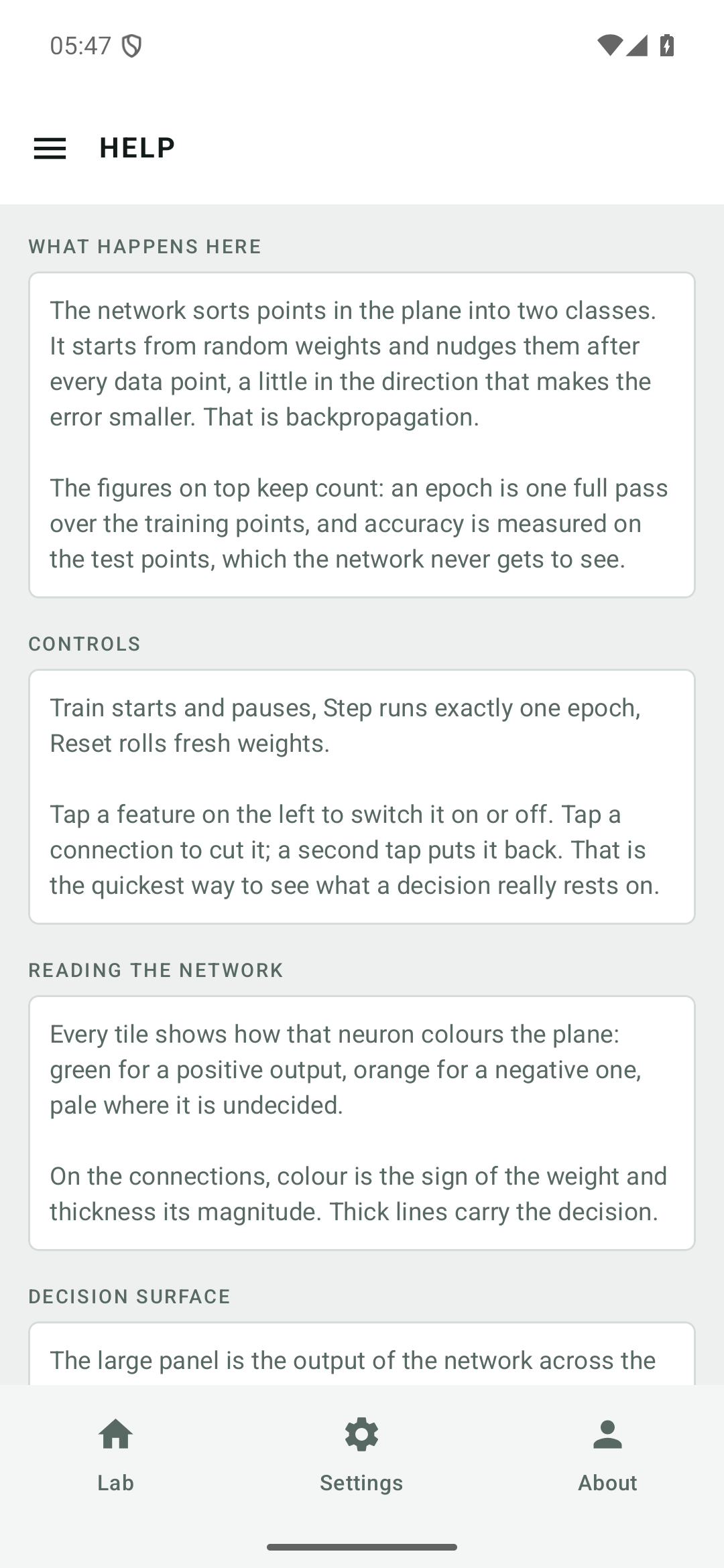
Screenshots
From the Android app, taken on a phone at 1080 × 2340.
On iPad and Mac
The same app in two columns: the network on the left, surface, loss and controls on the right. On the Mac with a sidebar, a menu and keyboard shortcuts.
Privacy, in one paragraph
Backprop Lab keeps nothing about you. The Android app requests no permissions at all — not even internet, so it cannot transmit anything. The app for iPhone, iPad and Mac asks for no permission either and opens no connection of its own. What the apps store are a few settings — the language and appearance you picked, whether the introduction has been seen, and a launch counter for the one-off rating request — in their own private storage on the device, removed when the app is uninstalled. The data points are generated afresh by a random generator on every start. The browser version keeps one value, the language you picked; its single outward request fetches the fonts. No accounts, no advertising, no analytics, no crash reporting. The full text is in the privacy policy.