Your thoughts,
encrypted
Deine Gedanken,
verschlüsselt
A private, encrypted notepad for iPhone, iPad & Mac. Whether it's a quick idea, a diary entry, a checklist or passwords — your notes are yours alone. One purchase, all your Apple devices. Dein privates, verschlüsseltes Notizbuch für iPhone, iPad & Mac. Ob schnelle Idee, Tagebucheintrag, Checkliste oder Passwörter — deine Notizen gehören nur dir. Einmal kaufen, auf allen Apple-Geräten nutzen.
What's New in v1.1 Neu in v1.1
Now on the Mac Jetzt auch auf dem Mac
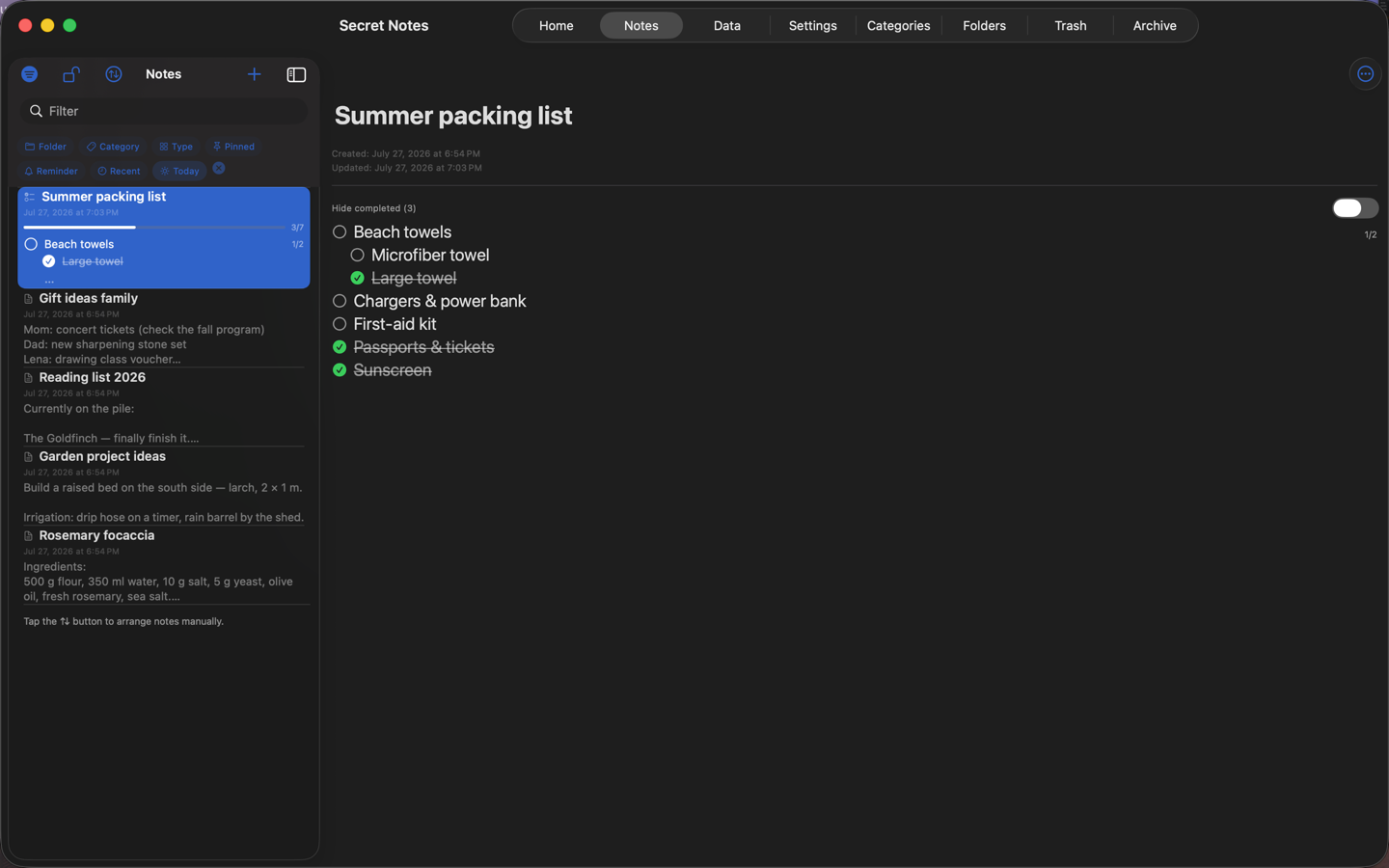
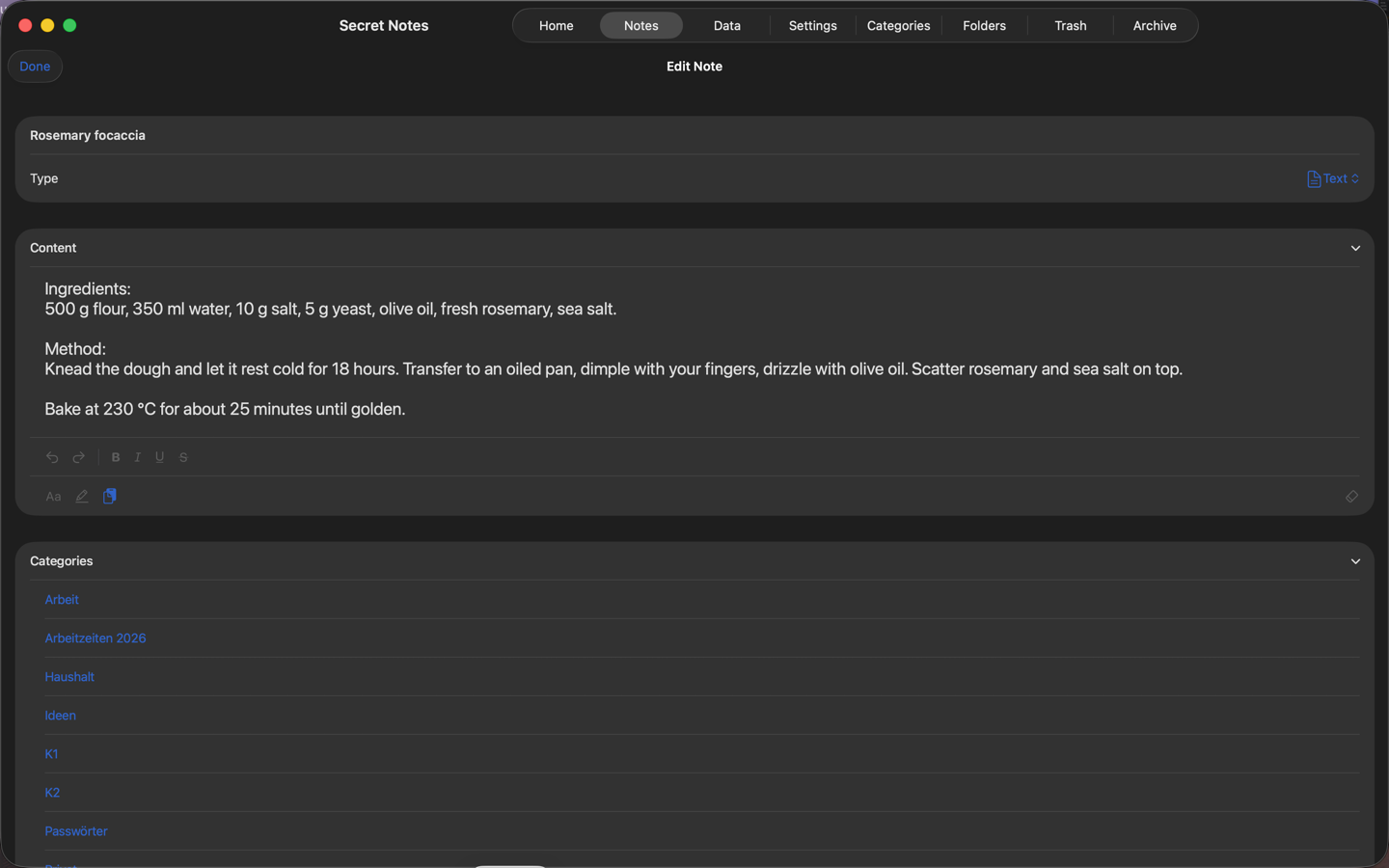
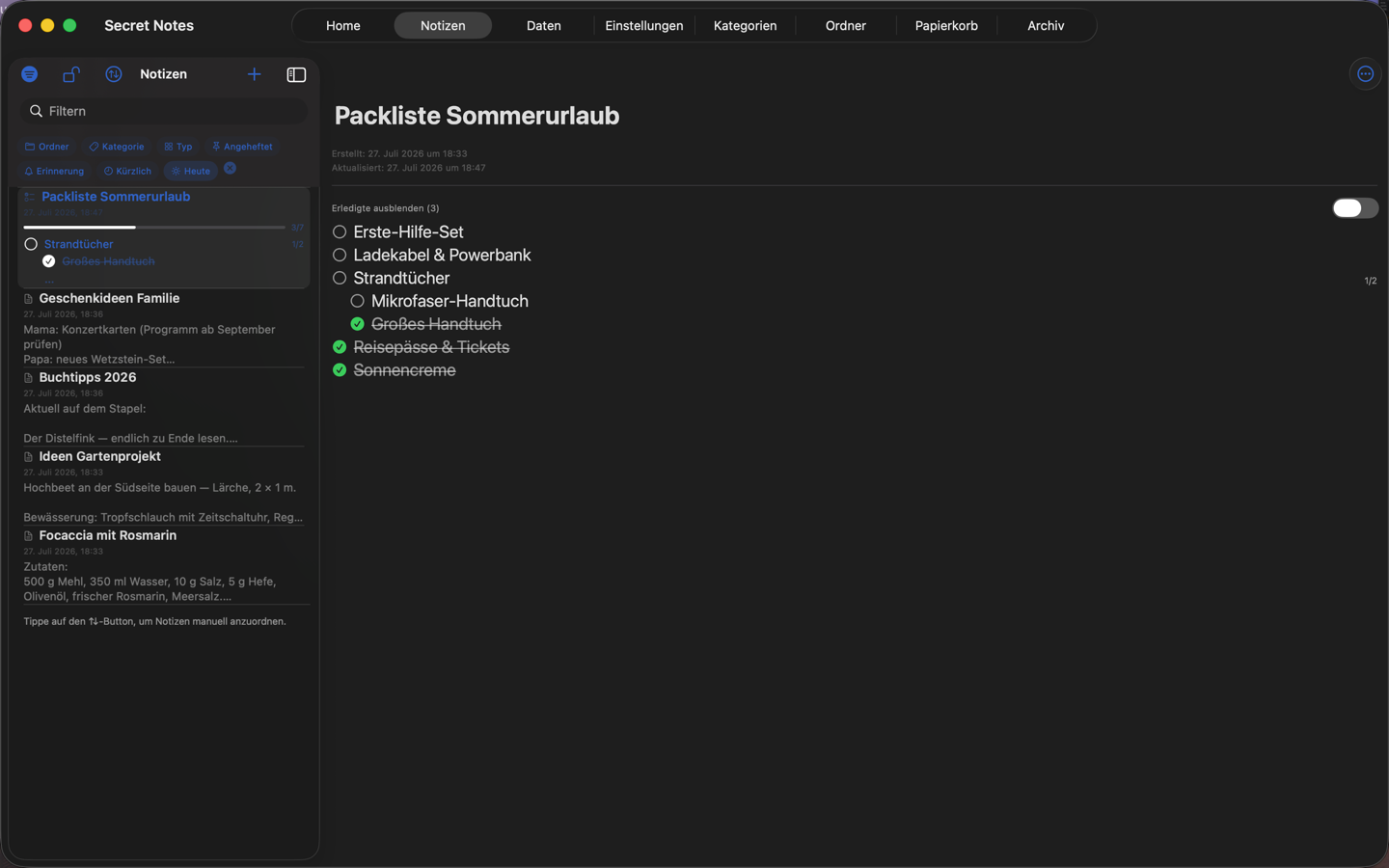
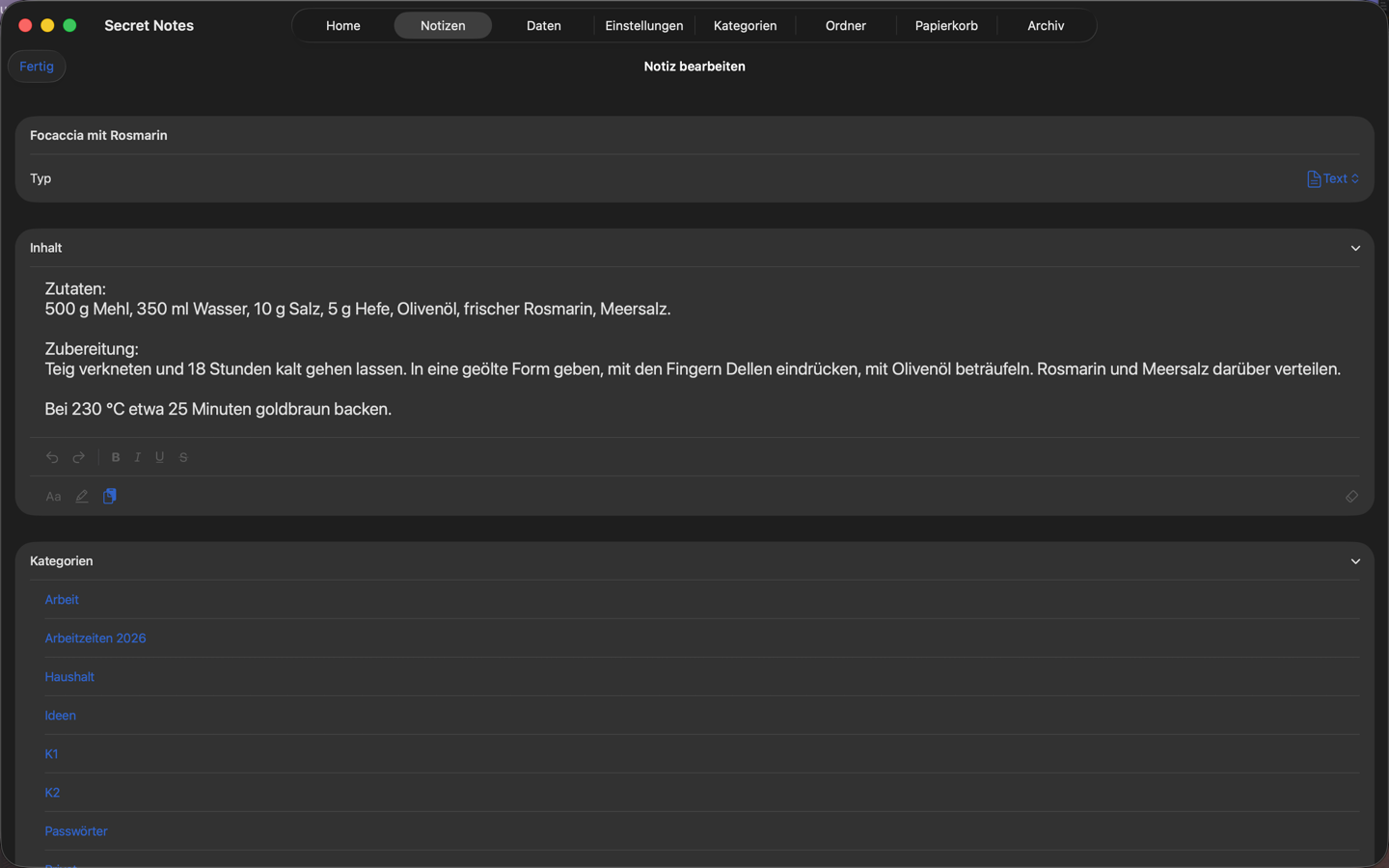
Secret Notes runs natively on macOS — a resizable window, a list and detail view side by side, keyboard and mouse throughout. Same app, same purchase, same notes. Secret Notes läuft nativ auf dem Mac — in einem frei skalierbaren Fenster, Liste und Detailansicht nebeneinander, durchgängig mit Tastatur und Maus bedienbar. Gleiche App, gleicher Kauf, gleiche Notizen.
Reliable Face ID Unlock Zuverlässiges Entsperren
With Face ID and the "Immediately" auto-lock setting the app could re-lock right after unlocking. That loop is gone: unlock once, and you stay in. Mit Face ID und der Einstellung „Sofort sperren" konnte sich die App direkt nach dem Entsperren wieder sperren. Diese Schleife ist behoben: einmal entsperren, und die App bleibt offen.
Cloud Sync at a Glance Cloud-Sync auf einen Blick
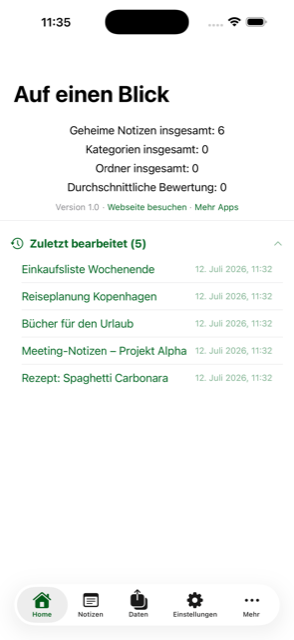
One tap works out whether to upload or restore — nothing is overwritten without asking. And if your newest cloud backup is more than 14 days old, the app says so. Ein Tipp klärt, ob hoch- oder heruntergeladen werden soll — überschrieben wird nichts ohne Nachfrage. Und ist das neueste Cloud-Backup älter als 14 Tage, weist die App darauf hin.
Saving & Exporting Speichern & Exportieren
Closing the editor now saves silently, JSON and CSV exports are encrypted by default, and the whole filtered list can go out as a single PDF. Der Editor speichert beim Schließen automatisch, JSON- und CSV-Exporte sind standardmäßig verschlüsselt, und die gefilterte Liste lässt sich als ein einziges PDF exportieren.
Everything you need Alles was du brauchst
No ads, no tracking, no data exchange with servers Keine Werbung, kein Tracking, kein Datenaustausch mit Servern
Maximum Security Maximale Sicherheit
PIN protection and Face ID / Touch ID keep your notes private. AES-GCM encryption protects your data reliably. PIN-Schutz und Face ID / Touch ID halten deine Notizen privat. AES-GCM-Verschlüsselung schützt deine Daten zuverlässig.
Seven Note Types Sieben Notiztypen
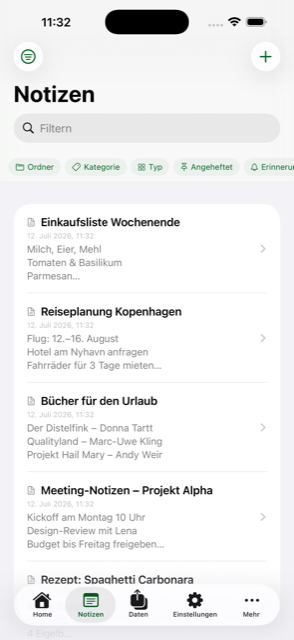
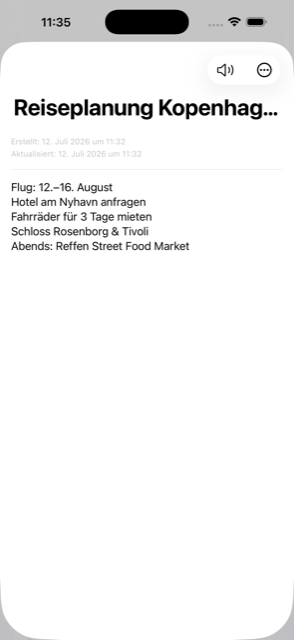
Create notes as text, checklists, tables, markdown, audio, video recordings, or tally counters. Erstelle Notizen als Text, Checklisten, Tabellen, Markdown, Audio- oder Videoaufnahmen oder Zähler.
Categories & Pins Kategorien & Pins
Organize your notes with categories and pin important ones for quick access. Organisiere deine Notizen mit Kategorien und pinne wichtige für schnellen Zugriff.
File Attachments Dateianhänge
Attach images, PDFs, videos, audio recordings, and documents to your notes. Füge Bilder, PDFs, Videos, Audioaufnahmen und Dokumente zu deinen Notizen hinzu.
Reminders Erinnerungen
Get notified at the right time for important notes. Werde zum richtigen Zeitpunkt an wichtige Notizen erinnert.
Recycle Bin & Archive Papierkorb & Archiv
Deleted something by accident? Restore it from the trash or archive notes for later. Aus Versehen gelöscht? Stelle es aus dem Papierkorb wieder her oder archiviere Notizen für später.
Color Themes Farbthemen
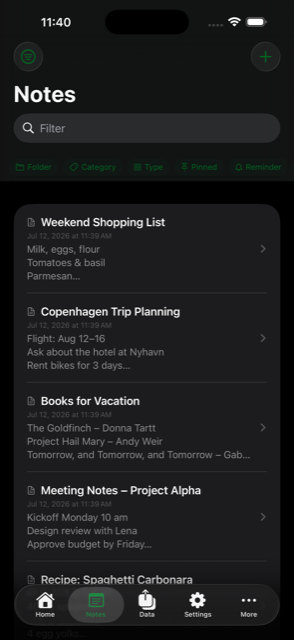
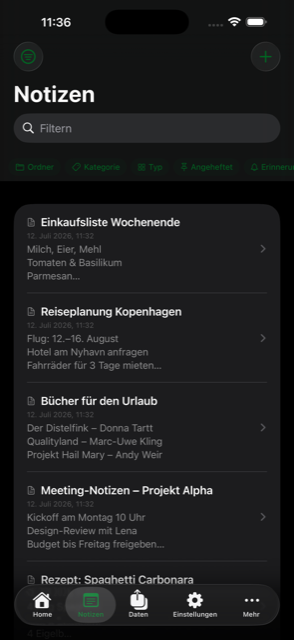
Choose from 8 color themes, in light or dark mode — or let the app follow your system appearance. Wähle aus 8 Farbthemen, hell oder dunkel — oder lass die App dem Erscheinungsbild deines Systems folgen.
App Language App-Sprache
Switch between English and German in Settings — independent of your iPhone's system language. Wechsle in den Einstellungen zwischen Deutsch und Englisch — unabhängig von der Systemsprache deines iPhones.
Password Generator Passwort-Generator
Generate strong, secure passwords directly within your notes. Generiere starke, sichere Passwörter direkt in deinen Notizen.
Share Sheet & Quick Actions Teilen & Kurzbefehle
Send text, links, photos or files to Secret Notes from any app. Long-press the app icon for a new note, a new checklist or search. Schicke Text, Links, Fotos oder Dateien aus jeder App an Secret Notes. Ein langer Druck auf das App-Symbol öffnet direkt neue Notiz, neue Checkliste oder Suche.
Import & Export Import & Export
Transfer your notes via JSON or CSV, including folder structure. Switch from other apps in seconds. Übertrage deine Notizen per JSON oder CSV, inklusive Ordnerstruktur. Wechsle von anderen Apps in Sekunden.
Ratings & Sorting Bewertungen & Sortierung
Rate your notes and sort by rating, name, date or category. Bewerte deine Notizen und sortiere nach Bewertung, Name, Datum oder Kategorie.
iPad & Mac iPad & Mac
On a wide screen the note list and the note itself sit side by side — on the iPad in landscape, and on the Mac in a window you can resize as you like. Auf breiten Bildschirmen stehen Notizliste und Notiz nebeneinander — auf dem iPad im Querformat und auf dem Mac in einem frei skalierbaren Fenster.
Per-Category Auto-Lock Auto-Sperre pro Kategorie
Set individual lock timeouts for different categories. Setze individuelle Sperr-Zeitlimits für verschiedene Kategorien.
Folders (Pro) Ordner (Pro)
Organize your notes in a nested folder hierarchy with color-coded folders. Organisiere deine Notizen in einer verschachtelten Ordnerstruktur mit farbigen Ordnern.
Table Notes (Pro) Tabellen-Notizen (Pro)
Create spreadsheet-style notes with rows and columns. Erstelle tabellarische Notizen mit Zeilen und Spalten.
Markdown Notes (Pro) Markdown-Notizen (Pro)
Write rich-text notes with headings, bold, italic, links, lists and code blocks. Schreibe Rich-Text-Notizen mit Überschriften, Fett, Kursiv, Links, Listen und Code-Blöcken.
Audio Notes (Pro) Audio-Notizen (Pro)
Record audio directly in your notes with inline playback and on-device transcription. Nimm Audio direkt in deinen Notizen auf mit Wiedergabe und Transkription auf dem Gerät.
Home Screen Widgets Startbildschirm-Widgets
Widgets for recent notes, a single note and checklists you can tick off right on the Home Screen — plus a Control Center button for a new note. Free, no Pro needed. Widgets für aktuelle Notizen, eine einzelne Notiz und Checklisten, die du direkt auf dem Home-Bildschirm abhaken kannst — dazu ein Kontrollzentrum-Button für eine neue Notiz. Kostenlos, ohne Pro.
Note History (Pro) Notiz-Verlauf (Pro)
Track changes to your notes over time. Restore previous versions with a single tap. Verfolge Änderungen an deinen Notizen. Stelle frühere Versionen mit einem Fingertipp wieder her.
PDF Export (Pro) PDF-Export (Pro)
Export your notes as beautifully formatted PDF documents. Exportiere deine Notizen als schön formatierte PDF-Dokumente.
Note Templates (Pro) Notiz-Vorlagen (Pro)
Start from built-in templates or save your own notes as reusable templates. Starte mit eingebauten Vorlagen oder speichere eigene Notizen als wiederverwendbare Vorlagen.
Bulk Operations (Pro) Massenoperationen (Pro)
Tap Select to pick several notes at once, then move, categorize, archive or delete them in one go. Über „Auswählen" mehrere Notizen gleichzeitig markieren und in einem Schritt verschieben, kategorisieren, archivieren oder löschen.
Backup & Restore (Pro) Backup & Restore (Pro)
Full backup with all attachments. Automatic daily or weekly backups. Cross-device restore. Vollständiges Backup mit allen Anhängen. Automatische tägliche oder wöchentliche Backups. Geräteübergreifend wiederherstellen.
Device Sync (Pro) Geräte-Sync (Pro)
Sync your full library between two devices in the same network — or send a single note with all its attachments to another device. No cloud, no server. Synchronisiere deine gesamte Sammlung zwischen zwei Geräten im selben Netzwerk — oder sende eine einzelne Notiz mit allen Anhängen an ein anderes Gerät. Keine Cloud, kein Server.
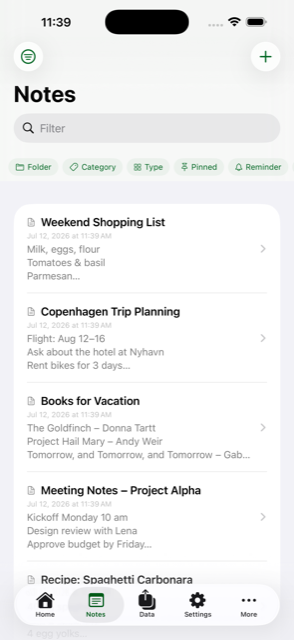
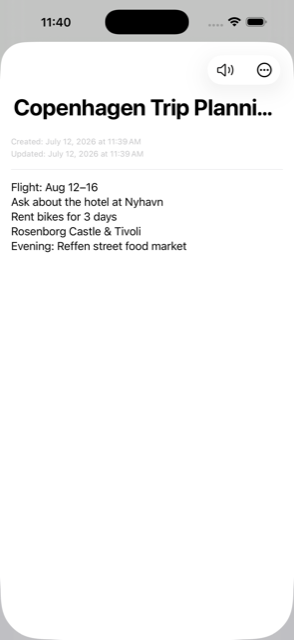
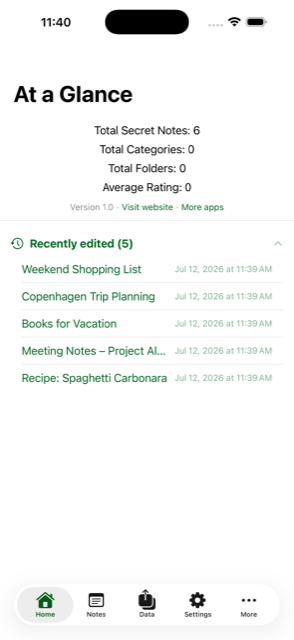
Beautiful & Intuitive Schön & Intuitiv
A clean, modern design that gets out of your way Ein sauberes, modernes Design das dich nicht ablenkt
And on the Mac Und auf dem Mac
Unlock the full potential Entfalte das volle Potenzial
Get Secret Notes Pro for advanced features and peace of mind Hol dir Secret Notes Pro für erweiterte Funktionen und Sicherheit